> ## Documentation Index
> Fetch the complete documentation index at: https://dev.jup.ag/docs/llms.txt
> Use this file to discover all available pages before exploring further.
# Integrate Jupiter Plugin
> Seamlessly integrate end-to-end Ultra Swap functionality into any application with just a few lines of code.
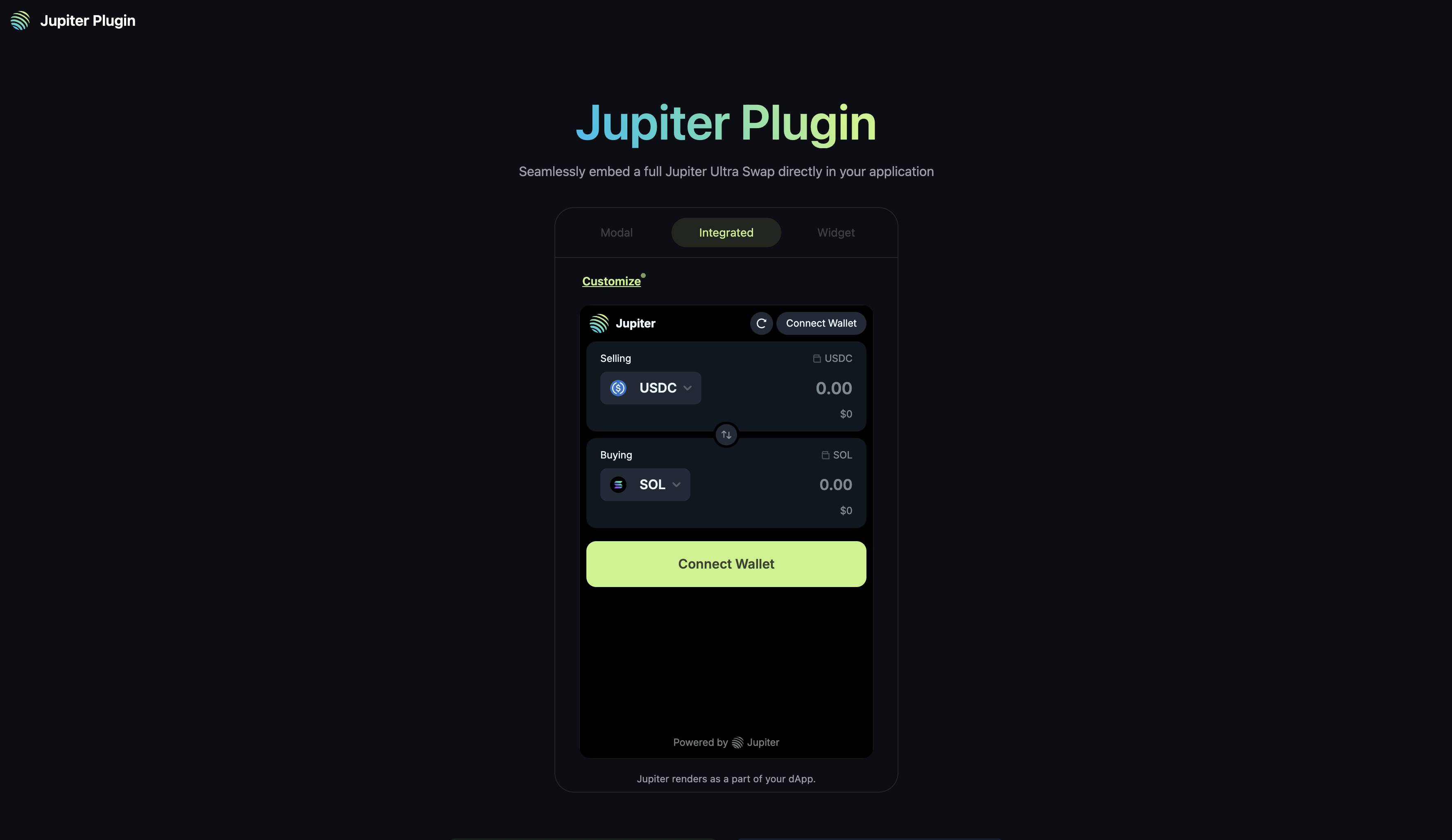
Jupiter Plugin is an open-source, lightweight, plug-and-play version of Jupiter Ultra Swap, allowing you to bring the exact jup.ag swap experience to any application.
Try out the [Plugin Playground](https://plugin.jup.ag/) to experience the entire suite of customizations.
To view the open-source code, visit the [GitHub repository](https://github.com/jup-ag/plugin).
 {
e.target.style.opacity = '1';
e.target.style.border = '2px solid #C8F284';
}}
onMouseLeave={(e) => {
e.target.style.opacity = '1';
e.target.style.border = '2px solid transparent';
}}
data-og-width="3546"
width="3546"
data-og-height="2052"
height="2052"
data-path="static/images/plugin-playground.png"
data-optimize="true"
data-opv="3"
srcset="https://mintcdn.com/jupiter/mrenEfoqnubhOTHf/static/images/plugin-playground.png?w=280&fit=max&auto=format&n=mrenEfoqnubhOTHf&q=85&s=8395349bbf7f758ca18591330ca87fc7 280w, https://mintcdn.com/jupiter/mrenEfoqnubhOTHf/static/images/plugin-playground.png?w=560&fit=max&auto=format&n=mrenEfoqnubhOTHf&q=85&s=46e08b413d1673216c5a1c4d57126c91 560w, https://mintcdn.com/jupiter/mrenEfoqnubhOTHf/static/images/plugin-playground.png?w=840&fit=max&auto=format&n=mrenEfoqnubhOTHf&q=85&s=2914dd9f251c0f3df220e1a31e04f63c 840w, https://mintcdn.com/jupiter/mrenEfoqnubhOTHf/static/images/plugin-playground.png?w=1100&fit=max&auto=format&n=mrenEfoqnubhOTHf&q=85&s=9d4185743a5a3991ac7e595443788fc8 1100w, https://mintcdn.com/jupiter/mrenEfoqnubhOTHf/static/images/plugin-playground.png?w=1650&fit=max&auto=format&n=mrenEfoqnubhOTHf&q=85&s=a7ebc84c3d7e2d259f20c50d8fb2cb13 1650w, https://mintcdn.com/jupiter/mrenEfoqnubhOTHf/static/images/plugin-playground.png?w=2500&fit=max&auto=format&n=mrenEfoqnubhOTHf&q=85&s=ce6b355f81e4a7e0d9e69945e8c0a5a7 2500w"
/>
**QUICK START**
To quick start your integration, check out the [Next.js](/tool-kits/plugin/nextjs-app-example), [React](/tool-kits/plugin/react-app-example) or [HTML](/tool-kits/plugin/html-app-example) app examples.
Refer to [Customization](/tool-kits/plugin/customization) and [FAQ](/tool-kits/plugin/faq) for more information.
## Key Features
* **Seamless Integration**: Embed Jupiter's swap functionality directly into your application without redirects.
* **Multiple Display Options**: Choose between integrated, widget, or modal display modes.
* **Customizable Options**: Configure the swap form to match your application's needs.
* **RPC-less**: Integrate Plugin without any RPCs, Ultra handles transaction sending, wallet balances and token information.
* **Ultra Mode**: Access to all features of Ultra Mode, read more about it in the [Ultra Swap API docs](/ultra/).
## Getting Started
When integrating Plugin, there are a few integration methods to think about, and choose the one that best fits your application's architecture and requirements.
### Integration Methods
* **Using Window Object** - Simplest way to add and initialize Plugin.
* [**Using NPM Package**](https://www.npmjs.com/package/@jup-ag/plugin) - Install via `npm install @jup-ag/plugin` and initialize as a module (will require you to maintain its dependencies).
### Wallet Integration
* **Wallet Standard Support**: For applications without existing wallet provider, Plugin will provide a wallet adapter and connection - powered by [Unified Wallet Kit](/tool-kits/wallet-kit/).
* **Passthrough Wallet**: For applications with existing wallet provider(s), set `enableWalletPassthrough=true` with context, and Plugin will allow the application to pass through the existing wallet provider's connection to Plugin.
### Adding Fees to plugin
* **Referral Account**: You can create a referral account via [scripts](/ultra/add-fees-to-ultra) or [Referral Dashboard](https://referral.jup.ag/).
* **Referral Fee**: You can set the referral fee and account in the `formProps` interface when you initialize the Plugin.
### Quick Start Guides
In the next sections, we'll walk you through the steps to integrate Jupiter Plugin into different types of web applications from scratch.
By integrating Jupiter Plugin into your application, you can seamlessly integrate a fully functional swap interface into your application with minimal effort, while staying at the forefront of Solana DeFi innovation.
Built with [Mintlify](https://mintlify.com).
{
e.target.style.opacity = '1';
e.target.style.border = '2px solid #C8F284';
}}
onMouseLeave={(e) => {
e.target.style.opacity = '1';
e.target.style.border = '2px solid transparent';
}}
data-og-width="3546"
width="3546"
data-og-height="2052"
height="2052"
data-path="static/images/plugin-playground.png"
data-optimize="true"
data-opv="3"
srcset="https://mintcdn.com/jupiter/mrenEfoqnubhOTHf/static/images/plugin-playground.png?w=280&fit=max&auto=format&n=mrenEfoqnubhOTHf&q=85&s=8395349bbf7f758ca18591330ca87fc7 280w, https://mintcdn.com/jupiter/mrenEfoqnubhOTHf/static/images/plugin-playground.png?w=560&fit=max&auto=format&n=mrenEfoqnubhOTHf&q=85&s=46e08b413d1673216c5a1c4d57126c91 560w, https://mintcdn.com/jupiter/mrenEfoqnubhOTHf/static/images/plugin-playground.png?w=840&fit=max&auto=format&n=mrenEfoqnubhOTHf&q=85&s=2914dd9f251c0f3df220e1a31e04f63c 840w, https://mintcdn.com/jupiter/mrenEfoqnubhOTHf/static/images/plugin-playground.png?w=1100&fit=max&auto=format&n=mrenEfoqnubhOTHf&q=85&s=9d4185743a5a3991ac7e595443788fc8 1100w, https://mintcdn.com/jupiter/mrenEfoqnubhOTHf/static/images/plugin-playground.png?w=1650&fit=max&auto=format&n=mrenEfoqnubhOTHf&q=85&s=a7ebc84c3d7e2d259f20c50d8fb2cb13 1650w, https://mintcdn.com/jupiter/mrenEfoqnubhOTHf/static/images/plugin-playground.png?w=2500&fit=max&auto=format&n=mrenEfoqnubhOTHf&q=85&s=ce6b355f81e4a7e0d9e69945e8c0a5a7 2500w"
/>
**QUICK START**
To quick start your integration, check out the [Next.js](/tool-kits/plugin/nextjs-app-example), [React](/tool-kits/plugin/react-app-example) or [HTML](/tool-kits/plugin/html-app-example) app examples.
Refer to [Customization](/tool-kits/plugin/customization) and [FAQ](/tool-kits/plugin/faq) for more information.
## Key Features
* **Seamless Integration**: Embed Jupiter's swap functionality directly into your application without redirects.
* **Multiple Display Options**: Choose between integrated, widget, or modal display modes.
* **Customizable Options**: Configure the swap form to match your application's needs.
* **RPC-less**: Integrate Plugin without any RPCs, Ultra handles transaction sending, wallet balances and token information.
* **Ultra Mode**: Access to all features of Ultra Mode, read more about it in the [Ultra Swap API docs](/ultra/).
## Getting Started
When integrating Plugin, there are a few integration methods to think about, and choose the one that best fits your application's architecture and requirements.
### Integration Methods
* **Using Window Object** - Simplest way to add and initialize Plugin.
* [**Using NPM Package**](https://www.npmjs.com/package/@jup-ag/plugin) - Install via `npm install @jup-ag/plugin` and initialize as a module (will require you to maintain its dependencies).
### Wallet Integration
* **Wallet Standard Support**: For applications without existing wallet provider, Plugin will provide a wallet adapter and connection - powered by [Unified Wallet Kit](/tool-kits/wallet-kit/).
* **Passthrough Wallet**: For applications with existing wallet provider(s), set `enableWalletPassthrough=true` with context, and Plugin will allow the application to pass through the existing wallet provider's connection to Plugin.
### Adding Fees to plugin
* **Referral Account**: You can create a referral account via [scripts](/ultra/add-fees-to-ultra) or [Referral Dashboard](https://referral.jup.ag/).
* **Referral Fee**: You can set the referral fee and account in the `formProps` interface when you initialize the Plugin.
### Quick Start Guides
In the next sections, we'll walk you through the steps to integrate Jupiter Plugin into different types of web applications from scratch.
By integrating Jupiter Plugin into your application, you can seamlessly integrate a fully functional swap interface into your application with minimal effort, while staying at the forefront of Solana DeFi innovation.
Built with [Mintlify](https://mintlify.com).